The report your customer keeps
Vehicle inspection report template for mechanics
Your inspection is the product; the report is what the customer keeps. A mechanic inspection report template in InspectaCar is not a document you fill in afterwards: the branded online report and PDF are built automatically from what you record on site, with the findings that matter at the top. No Word template, no retyping. Your first 10 reports are free.
No credit card needed. Your first 10 inspections are free.
Why a mechanic inspection report template in Word or Excel costs you time
A Word or Excel inspection report template means doing the inspection twice: once on site on paper or in your phone’s notes, and again at the workshop when you type it up, find the photos and fix the formatting. It also means every report looks a little different. InspectaCar builds the report from what you recorded, in your branding, the moment you finish.
Report workflow: from the driveway to the customer
- 1
Record the findings on site
Work through the inspection on your phone. Each check gets a result and, where it matters, a short detail and a photo. Your comments go in once.
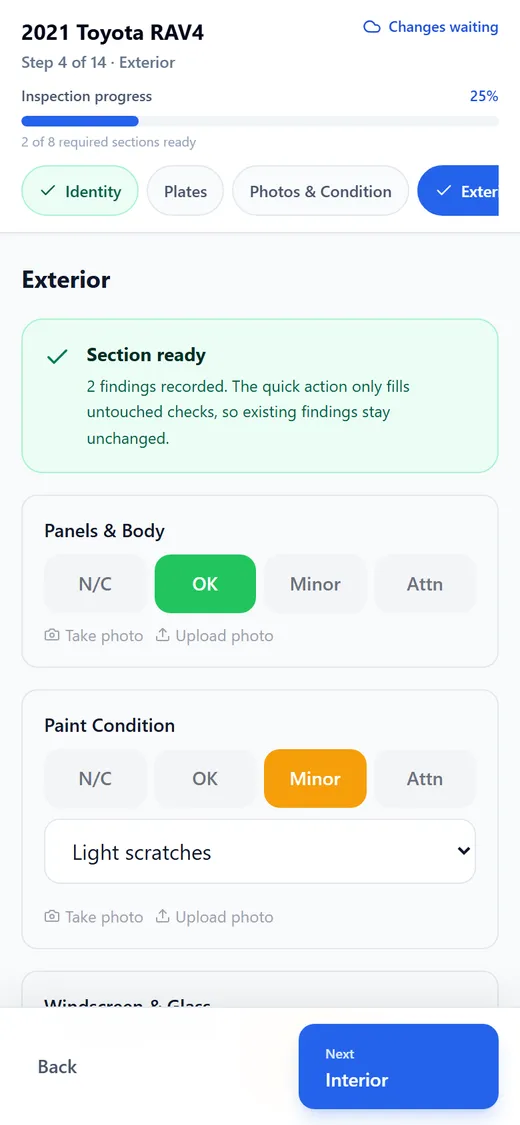
Tap OK, Minor or Attention. Minor and Attention findings take a short detail and a photo. - 2
The report builds itself
The moment you finish, InspectaCar publishes the report. Anything graded Minor or Attention goes into a Needs Attention section at the top, with your comment, and every section shows what passed.
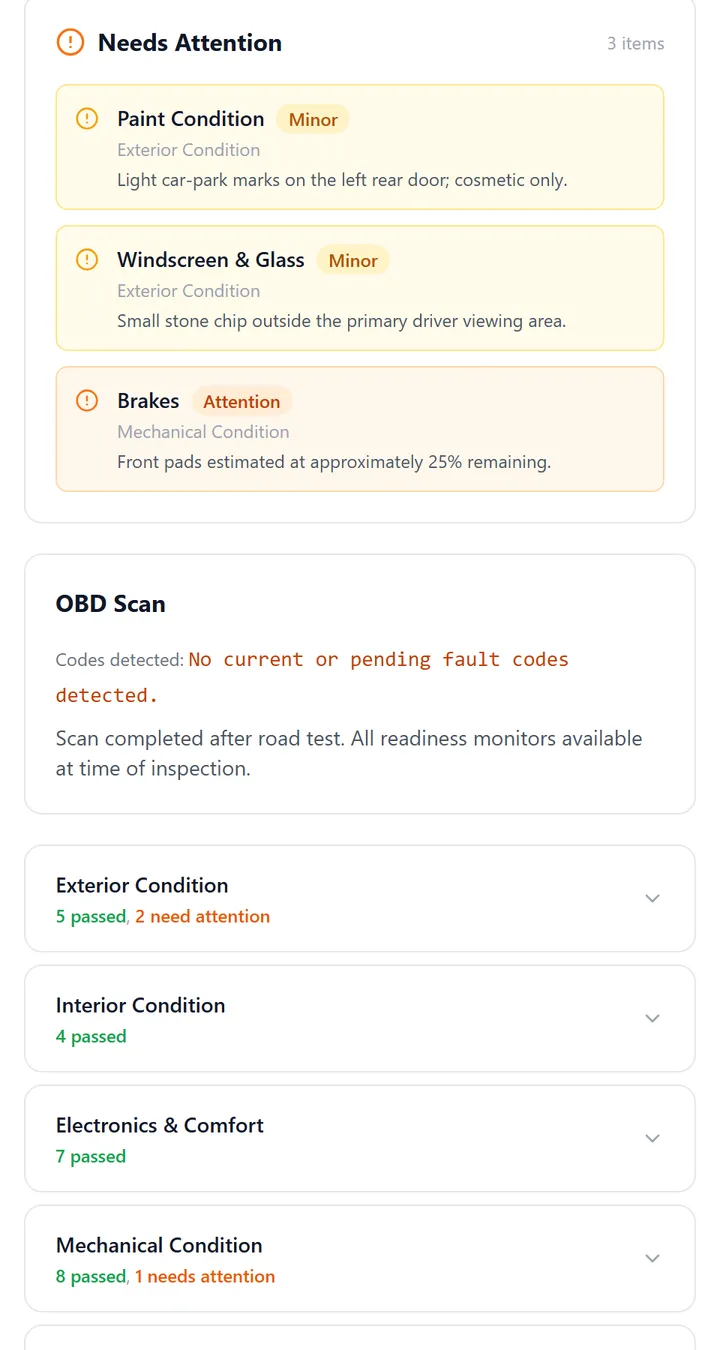
Anything graded Minor or Attention is pulled to the top, with the mechanic’s comment. - 3
Share it or send the PDF
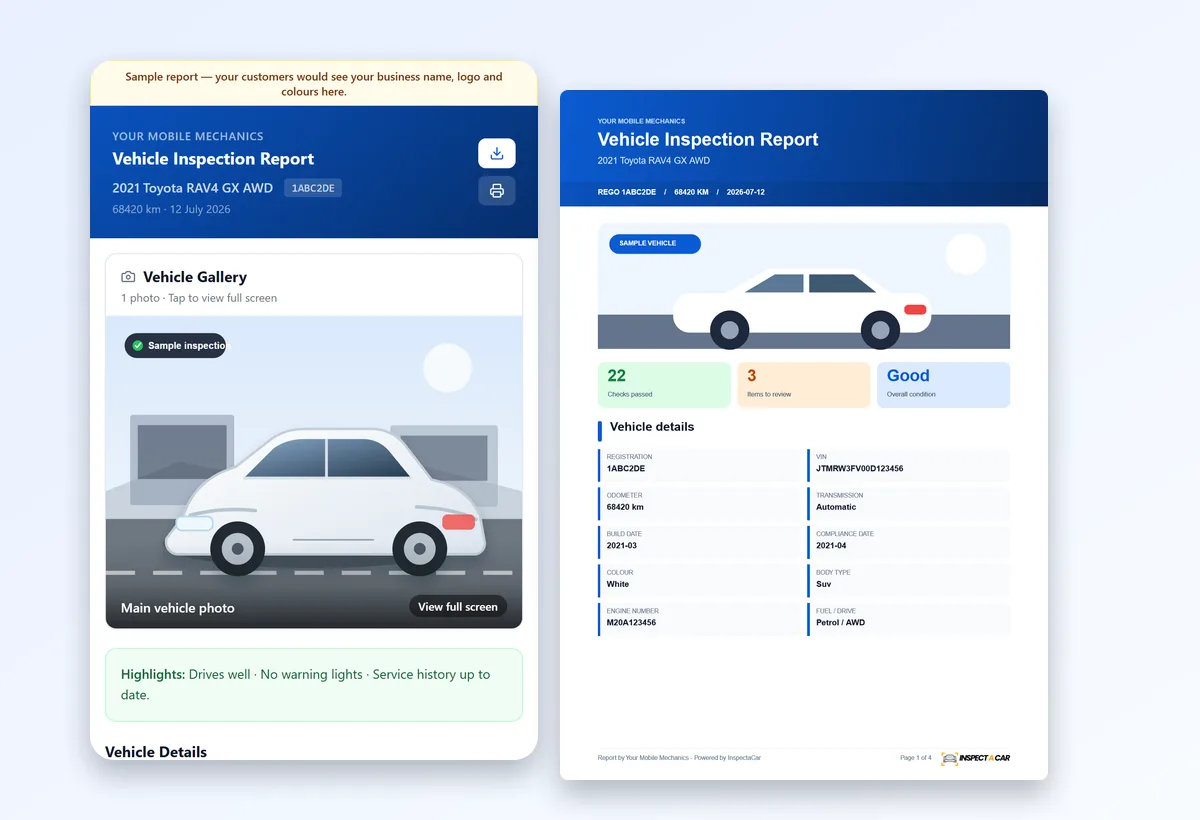
Share the secure link to the online report, or download the one-click PDF. Both carry your logo, colours and business name.
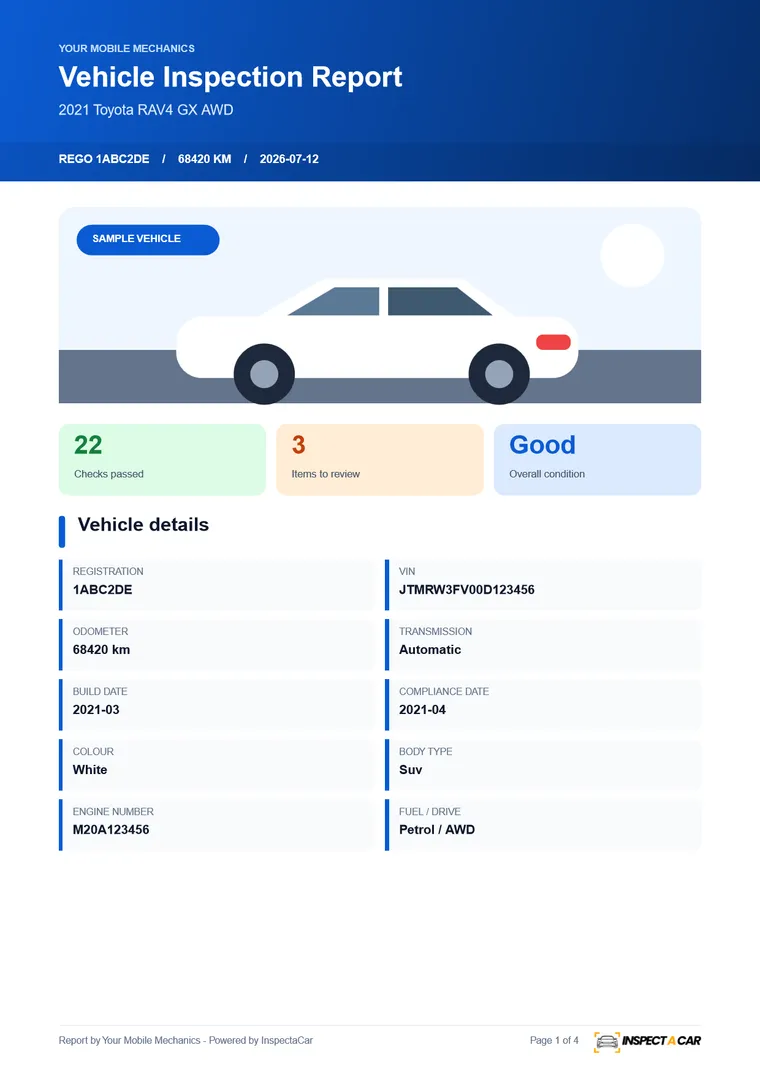
Page 1 of the PDF: result tiles and vehicle details.
What is in every report
| Part of the report | What it shows |
|---|---|
| Branded header | Your logo, colours and business name, the vehicle, registration and odometer. |
| Vehicle gallery | The main photo and the photos taken during the inspection, viewable full screen. |
| Highlights and summary | Your overall assessment in a few lines, before any detail. |
| Vehicle details | Registration, VIN, odometer, transmission, build and compliance dates, engine and more. |
| Needs attention | Every Minor or Attention finding with your comment and any photo. |
| OBD scan | Codes found (or none) and your notes on the scan. |
| Condition sections | Exterior, interior, electronics, mechanical and engine bay, with how many checks passed in each. |
| Tyres | Condition at every wheel position and whether replacement is needed. |
| Disclaimer | A clear statement that InspectaCar is the software and the findings are the inspector’s own. |
The template behind the report
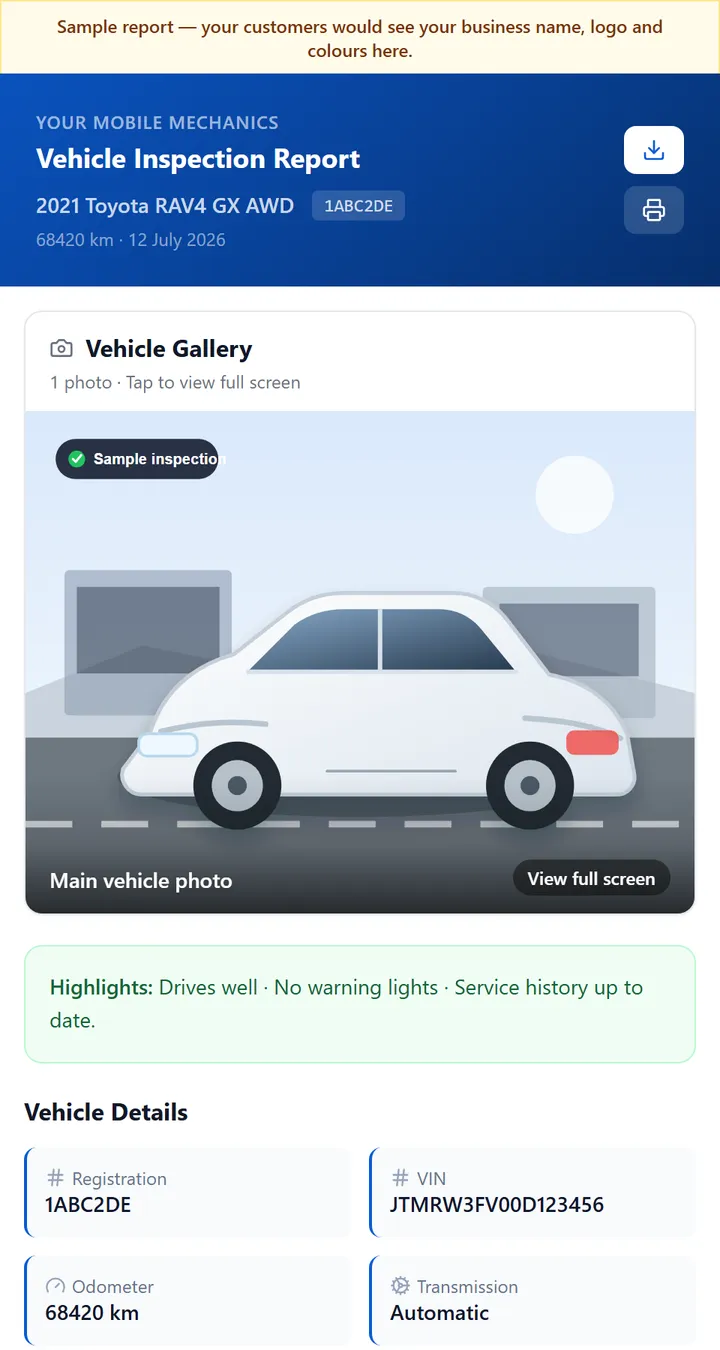
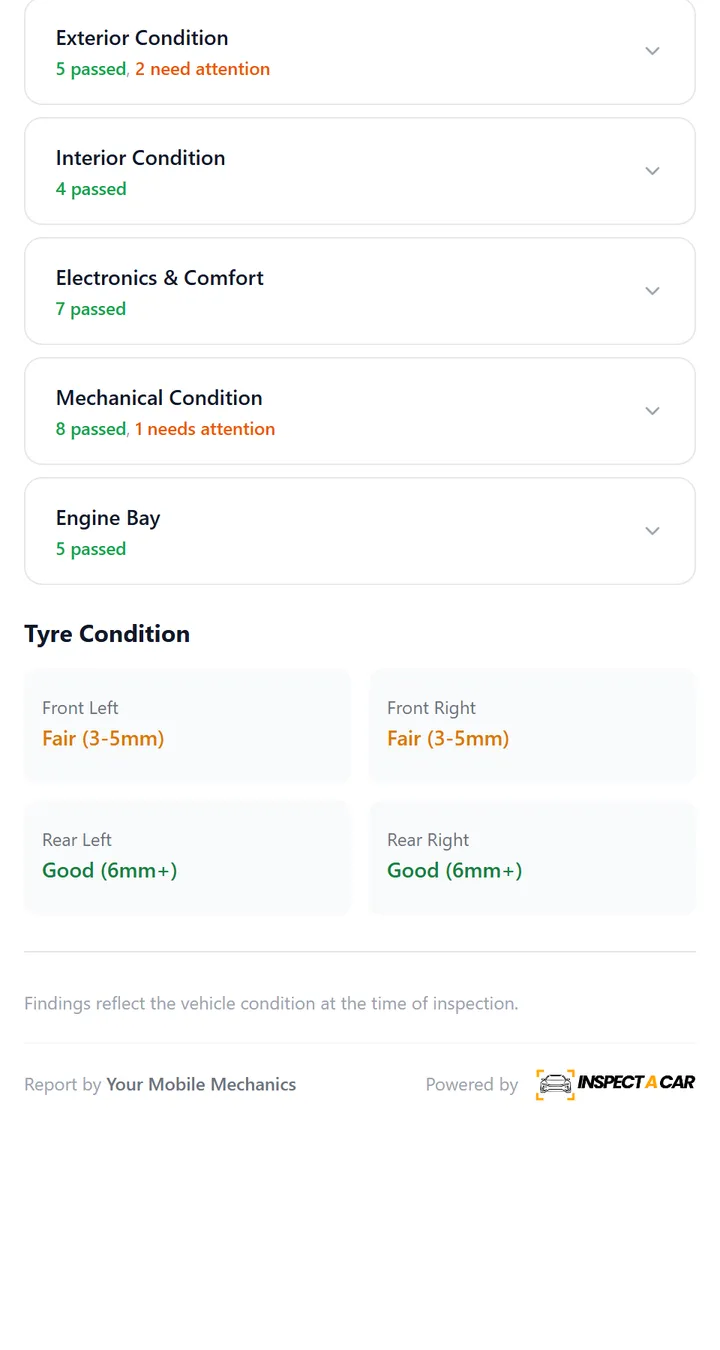
The report is generated from the inspection template you work through. Here is part of it with sample results. The standard inspection has 25 condition checks plus up to 20 functional checks, tyres, service history, an OBD scan and a road test.
Make the report yours
Upload your logo in whichever shape suits it, choose your colours and enter your business name. Everything your customer sees, on the web page and in the PDF, is in your branding. You also choose how thorough each job is, from a standard inspection to a Deep Inspection with a photo at every angle. See how templates and branding are set up.
Wording findings so customers act on them
The best reports say what you saw, where, how serious it is and what to do about it. InspectaCar prompts for a short detail on every Minor or Attention finding, so the comment is recorded while you are looking at the problem, and you do not have to reconstruct it later.
Benefits for mechanics
For the person doing the inspection
- Record once. The report is built for you.
- Photos stay with the finding they belong to.
- A guided order, so nothing is missed.
- A report you are proud to put your name on.
For the business
- Every report looks consistent and professional.
- Reports are ready before you leave the job.
- A saved history of every inspection you have done.
- More perceived value for the same inspection.
See your own first report
Register, add your logo and finish one inspection to see the report your customer would receive. It costs nothing to start: 10 inspections are free, and Unlimited is A$88.99 per month after that. Details on the pricing page.
Frequently asked questions
What should a mechanic’s inspection report include?
The vehicle and inspection details, findings graded by severity with comments and photos, the OBD scan result, tyre condition, an overall assessment and a clear statement of what the report is and is not. InspectaCar builds all of this into the report automatically.
Can I put my own logo and colours on the report?
Yes. Your logo, colours and business name appear on the online report and the PDF, on every plan including the free plan.
How do customers receive the report?
You share the secure link to the online report, or download the PDF and send it. The PDF is optimised so it stays small enough to email.
Do I still need to write the report afterwards?
No. The report is generated from what you recorded during the inspection. You can add an overall summary and comments, but there is no separate typing-up step.
Is the report a roadworthy certificate?
No. It is an inspection report. A roadworthy or safety certificate is a statutory document issued by an authorised tester under your state’s rules.
Can I try it first?
Yes. The first 10 inspections are free with no credit card. You can also open a sample report before signing up.