Vehicle and car inspection template
Vehicle inspection template software for workshops and dealers
A vehicle inspection template (also called a car inspection template or checklist) is only useful if everyone fills it in the same way, every time. InspectaCar puts a guided template on your team’s phones, keeps the photos with the findings and turns each inspection into a branded report. Your first 10 inspections are free.
No credit card needed. Your first 10 inspections are free.
What a vehicle inspection template has to do
Whether you call it a vehicle inspection template, a car inspection template or a checklist, it has to do the same four things. Here is how InspectaCar does each of them.
| A good template | In InspectaCar |
|---|---|
| Covers the whole vehicle in a sensible order | 25 condition checks across exterior, interior, electronics, mechanical and engine bay, plus tyres, service history, an OBD scan and a road test, in guided steps. |
| Gets completed the same way by everyone | Every check has the same result buttons (OK, Minor, Attention), a short detail for each finding and progress that shows what is left. Nobody has to remember the list. |
| Records evidence, not just ticks | Photos attach to the check they relate to, so a finding and its proof stay together. |
| Produces something you can hand over | A branded online report and a PDF, built from what was recorded. No retyping. |
How a vehicle inspection works in InspectaCar
- 1
Choose the inspection
Start a standard inspection, a Deep Inspection or a Manual report. Add the vehicle details and the features it has, so only the relevant checks appear.
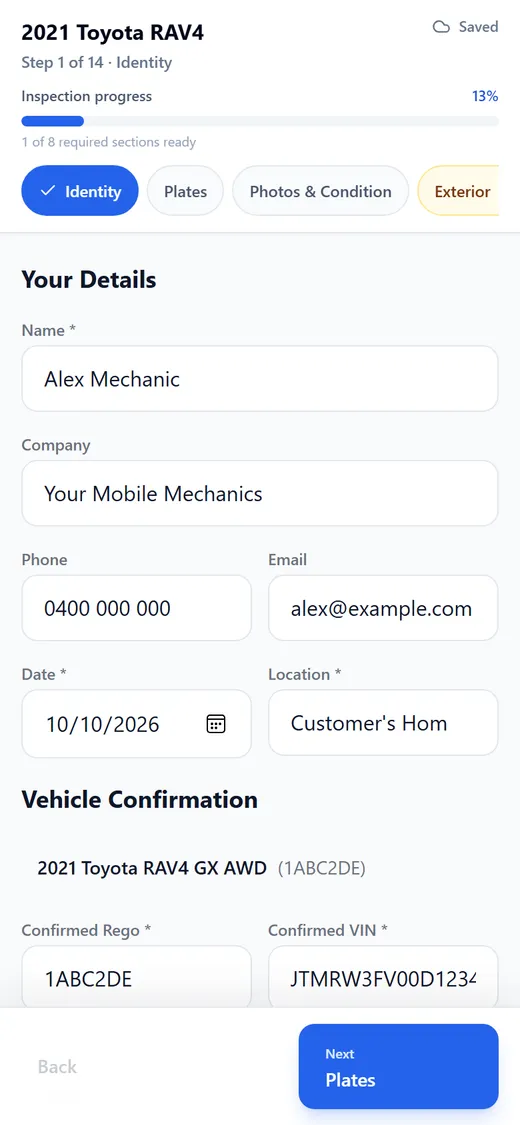
Step 1 of 14: the mechanic confirms the vehicle details. - 2
Work through the template
Each step is a section of the template. Mark each check, add a detail for anything that is not clean, and photograph it. A section progress indicator shows what is complete.
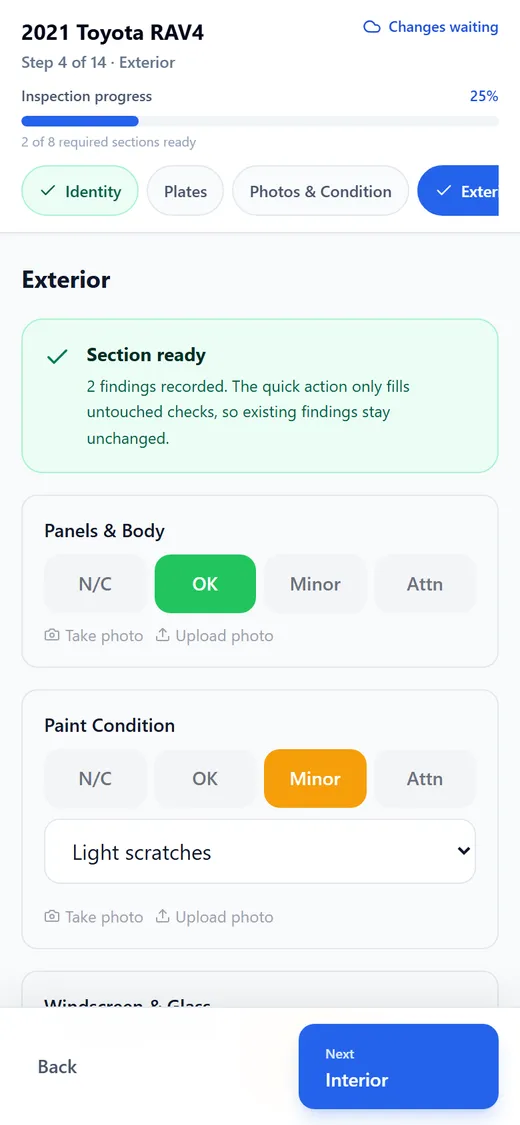
Tap OK, Minor or Attention. Minor and Attention findings take a short detail and a photo. - 3
Review and publish
Check the summary, then publish. The report and PDF are created straight away and the inspection is saved to your history.
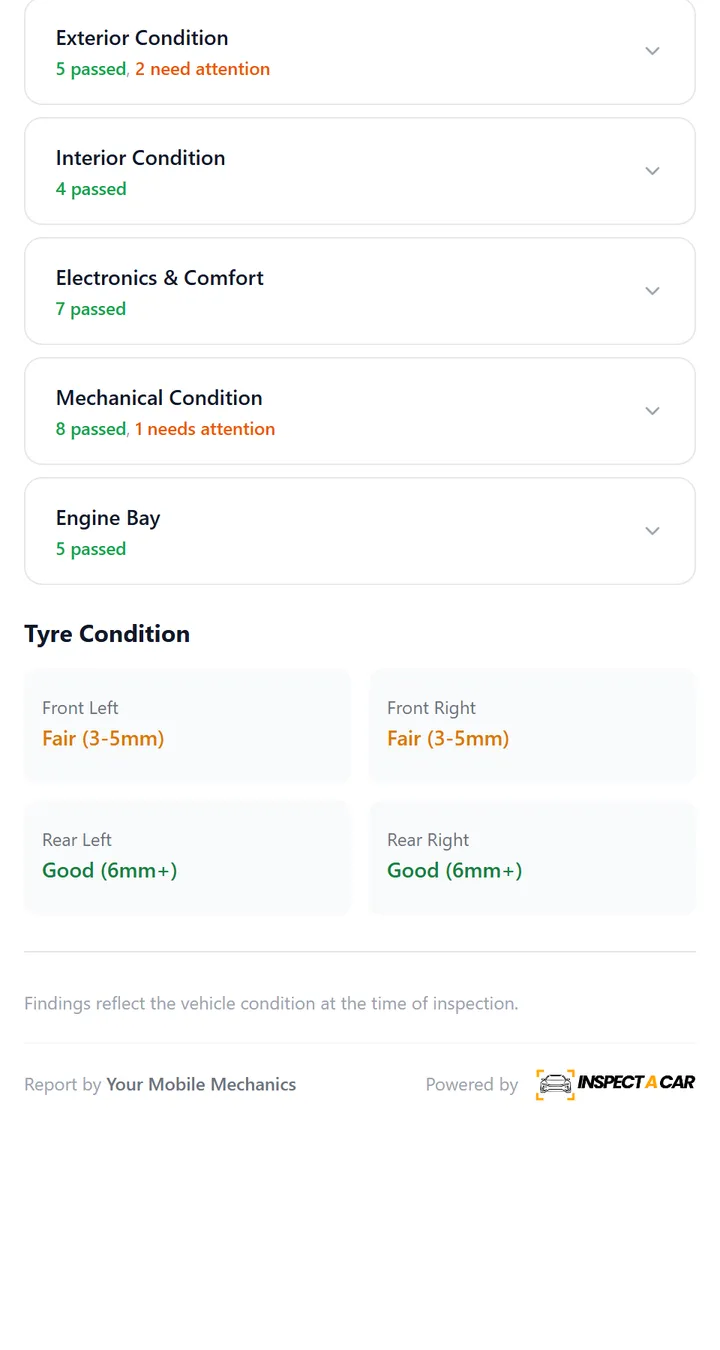
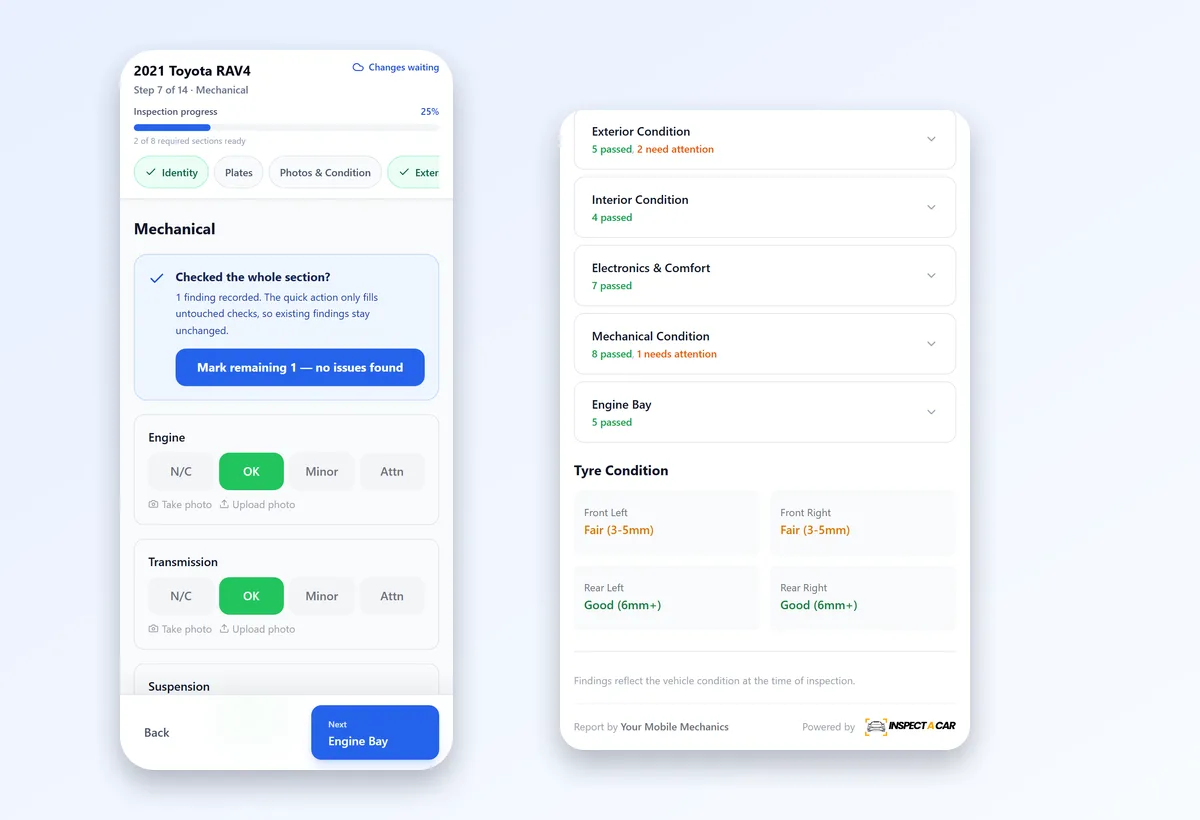
Every section shows what passed and what needs attention.
Inside the inspection template
Below is part of the template with sample results. The standard inspection runs through 14 steps, and the functional checks (up to 20) adapt to the vehicle’s features.
- 1Identity
- 2Plates
- 3Photos & Condition
- 4Exterior
- 5Interior
- 6Electronics
- 7Mechanical
- 8Engine Bay
- 9Service History
- 10Functional Checks
- 11OBD Scan
- 12Test Drive
- 13Wheels & Tyres
- 14Summary
Making the template your own
| What you can set up | How it works in InspectaCar |
|---|---|
| Your branding | Your logo (rectangle, square or circle), your colours and your business name appear on the online report and on the PDF. This is part of every plan, including the free plan. |
| How thorough the inspection is | Choose a standard inspection (14 guided steps), a Deep Inspection (34 guided steps with photos at every angle) or a Manual report for a vehicle you inspected offline. |
| Vehicle features | Tell InspectaCar which features the vehicle has (sunroof, keyless entry, reverse camera, parking sensors, electric seats) and the functional checks adapt to match. |
| Your own template | The Unlimited plan includes custom templates: your own sections and checks, in your own order, each answered the way you choose (grade, pass or fail, yes or no, a dropdown, a number, text or a photo). |
One template, a whole team
Add your mechanics and staff so everyone inspects the same way. Mechanics receive an inspection link and complete it on their phone, while your office manages inspections, reports and billing from the dashboard. Every vehicle, finding and report is kept in one place, so finding last month’s inspection of a vehicle takes seconds, not a trip to the filing cabinet.
What the finished report looks like
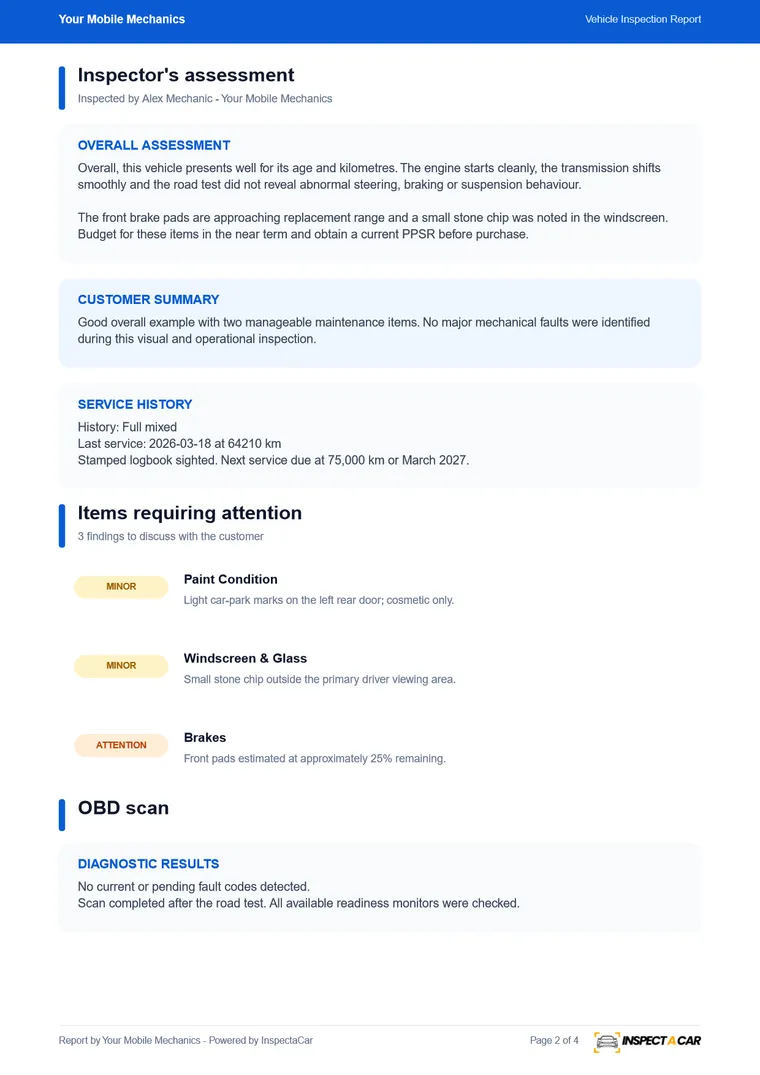
Inspection checklist vs inspection template
The two terms are used interchangeably. A checklist is the list of things to inspect; a template is the reusable structure, including how each item is answered and how the result is reported. InspectaCar gives you both in one: a guided checklist with consistent answers, and a report that is generated from it.
Benefits for workshops and dealerships
For workshops and mobile mechanics
- The same inspection every time, whoever does it.
- Photos and notes captured at the vehicle.
- Reports you can send before you leave the driveway.
- A searchable history of every vehicle you have inspected.
For dealerships and fleets
- Consistent records on stock, trade-ins and fleet vehicles.
- Condition and findings you can compare from one inspection to the next.
- Reports in your own branding.
- A free start with no commitment.
Try the template on your own vehicles
Register, add your logo and put the template through a real inspection. The first 10 are free, with no credit card. When you need more, Unlimited is A$88.99 per month. See pricing for what each plan includes.
Frequently asked questions
What is a vehicle inspection template?
A reusable structure for inspecting a vehicle: the checks to make, how each is answered, and how the result is recorded and reported. In InspectaCar the template runs as a guided inspection on your phone and produces a branded report and PDF.
Is a car inspection template the same as a vehicle inspection checklist?
In everyday use, yes. A checklist is the list of items; a template adds the structure for answering and reporting them. InspectaCar covers both, from the guided checks to the finished report.
Can I customise the vehicle inspection template?
You can set up your branding on every plan and choose between standard, Deep Inspection and Manual reports for each job. The Unlimited plan includes custom templates, with your own sections and checks.
Can several people use the same template?
Yes. Add your mechanics and staff, and everyone inspects the same way. Mechanics complete inspections from an inspection link on their phone.
What does the inspection template cover?
25 condition checks across exterior, interior, electronics, mechanical and engine bay, up to 20 functional checks, tyres at each wheel position, service history, an OBD scan and a test drive, with photos and notes.
How much does it cost to try?
Nothing. The first 10 inspections are free with no credit card, including your branding and photo uploads.