Example reports made with InspectaCar
Sample vehicle inspection report
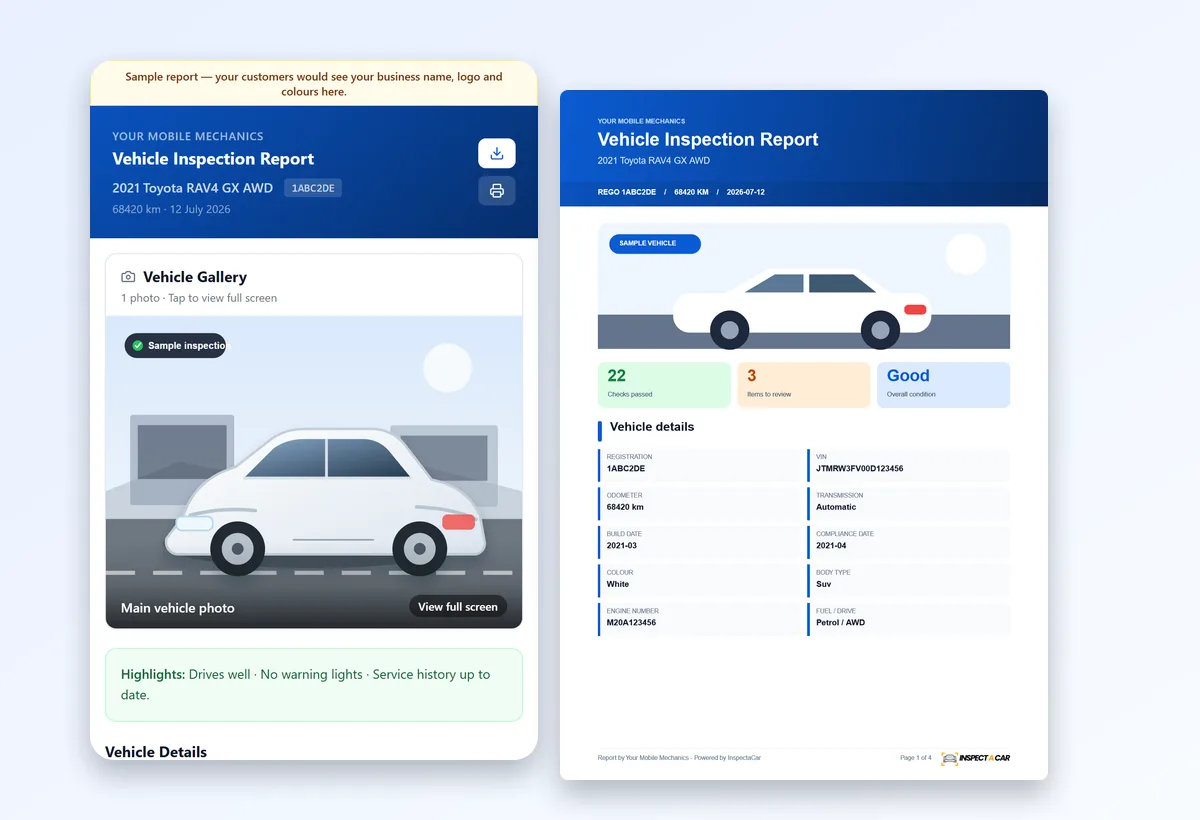
This is what your customer receives when you finish an inspection in InspectaCar: a branded online report and a PDF, with the vehicle details, condition summary, flagged items, the full checklist and the mechanic’s comments. The vehicle, inspector and findings are fictional.
Create your own: the first 10 inspections are free.
The online inspection report
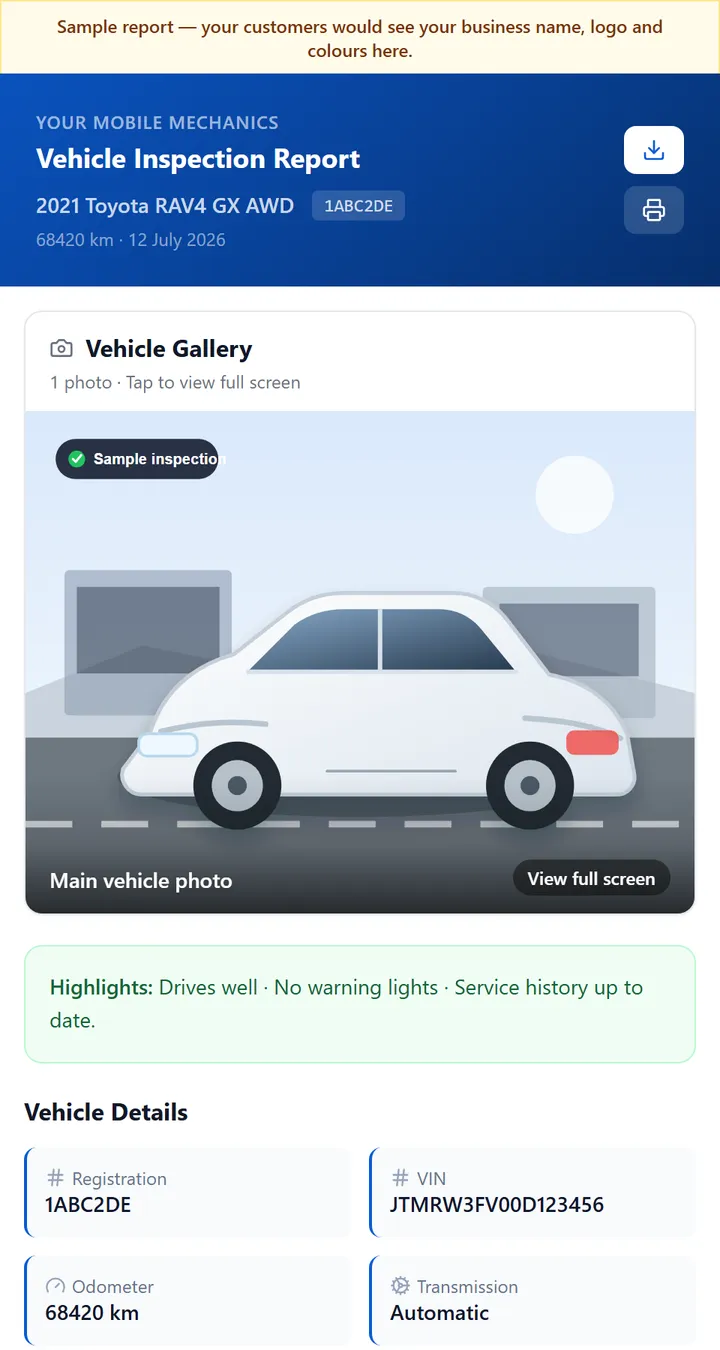
The report is a web page your customer can open on any phone from a secure link. It carries your logo, colours and business name, and it opens with the vehicle and the highlights before any detail.
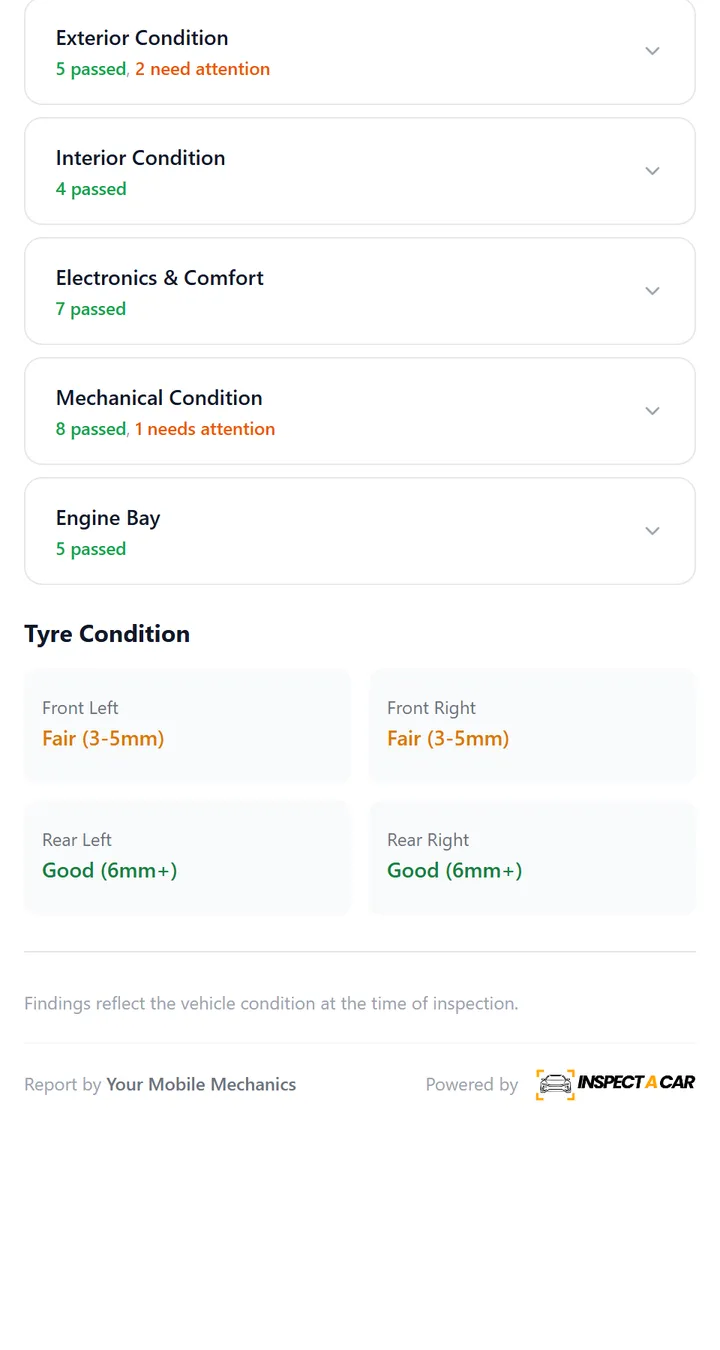
What each part tells the customer
| Section | What the customer learns |
|---|---|
| Header and vehicle details | Who inspected the vehicle, when and where, and the identity of the vehicle: make, model, year, registration, VIN and odometer. |
| Highlights and comments | A plain-language assessment from the inspector, in a few lines, before any detail. |
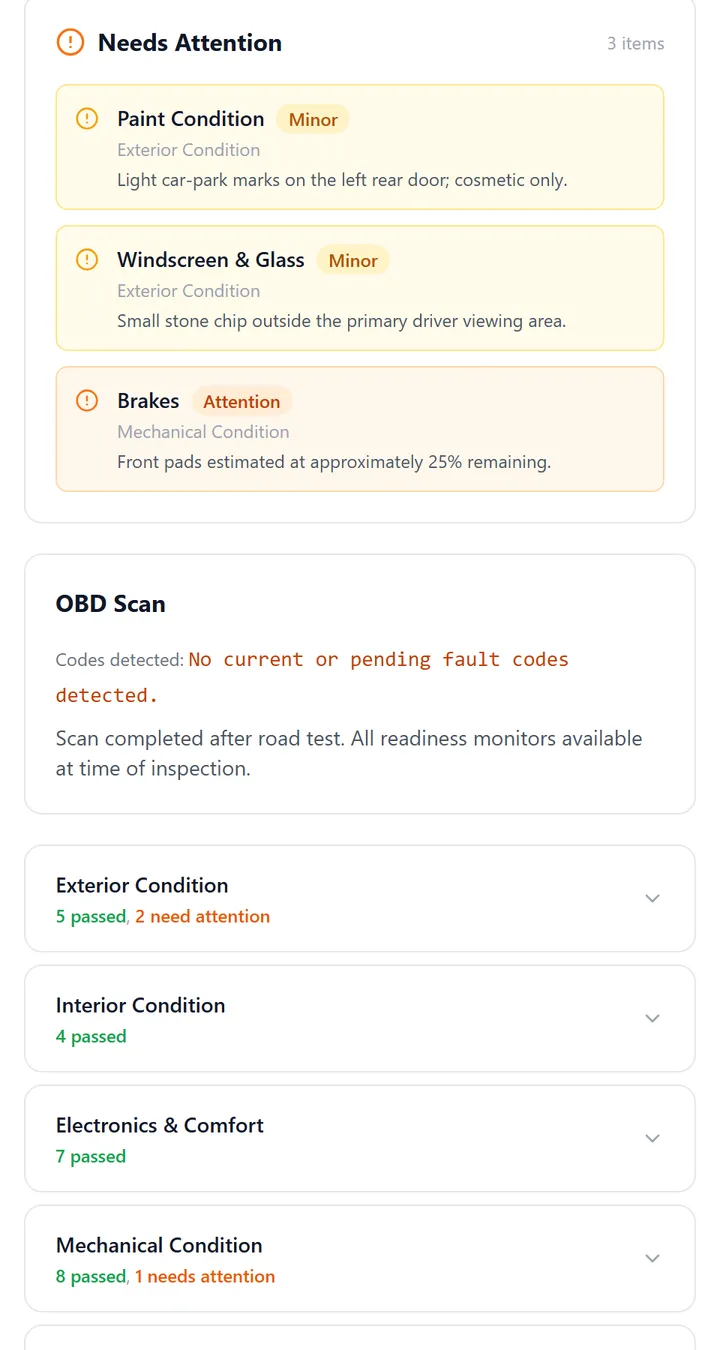
| Needs attention | Anything graded Minor or Attention, with the inspector’s comment and any photo, pulled to the top so nothing is missed. |
| OBD scan | The diagnostic scan result, including when there are no codes. |
| Condition sections | Exterior, interior, electronics, mechanical and engine bay checks, each graded, with how many passed. |
| Tyres | Condition for each tyre position, with replace flags. |
| Disclaimer | A clear statement that InspectaCar is software only and the findings are the inspector’s own. |
The PDF report
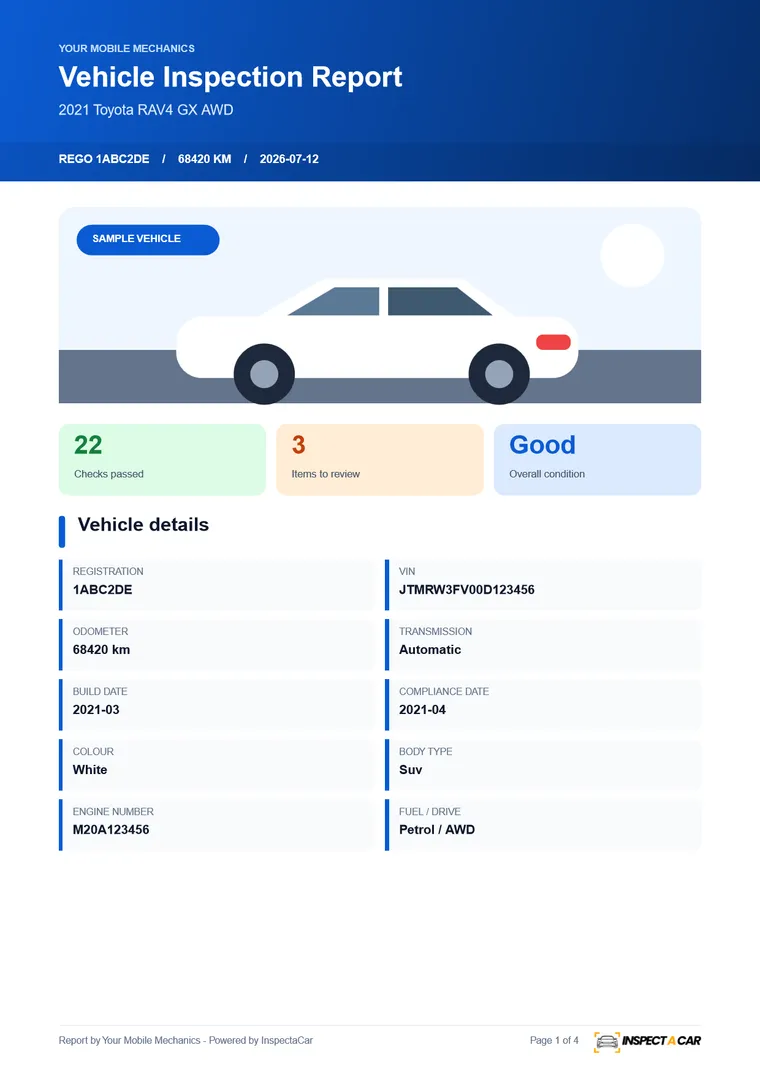
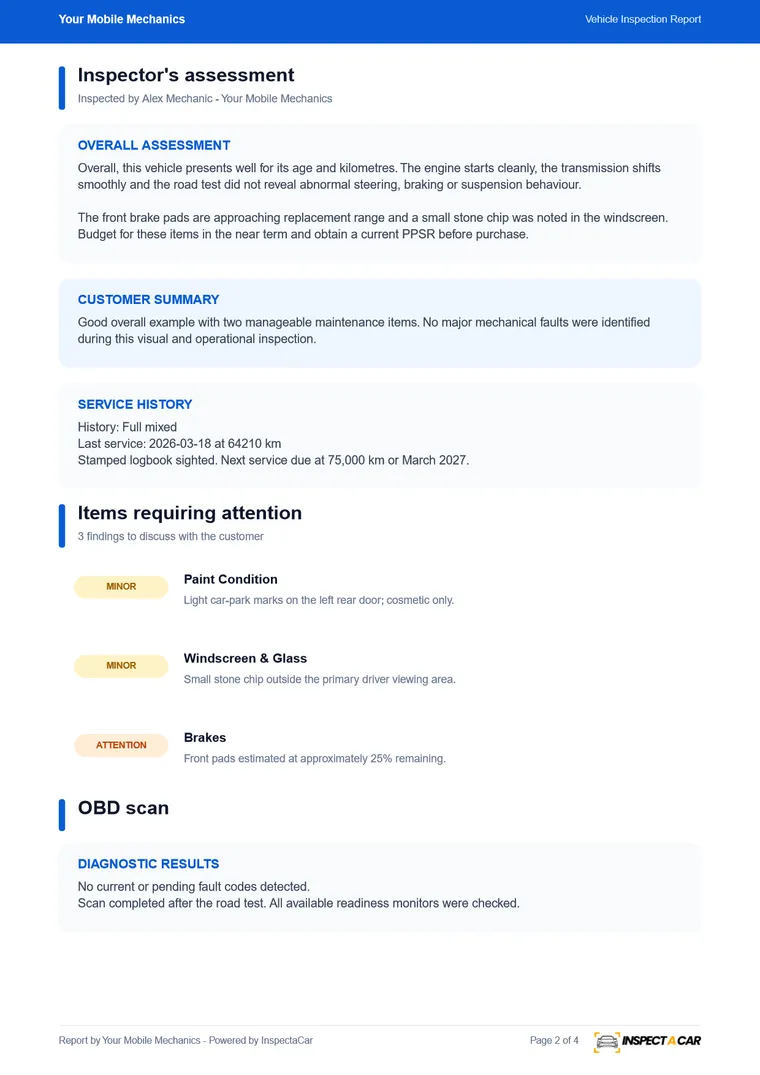
Every report also comes as a one-click PDF with the same branding: result tiles for checks passed, items to review and overall condition, the vehicle details, and the full findings. Photos are compressed so the file stays small enough to email.
A Deep Inspection report
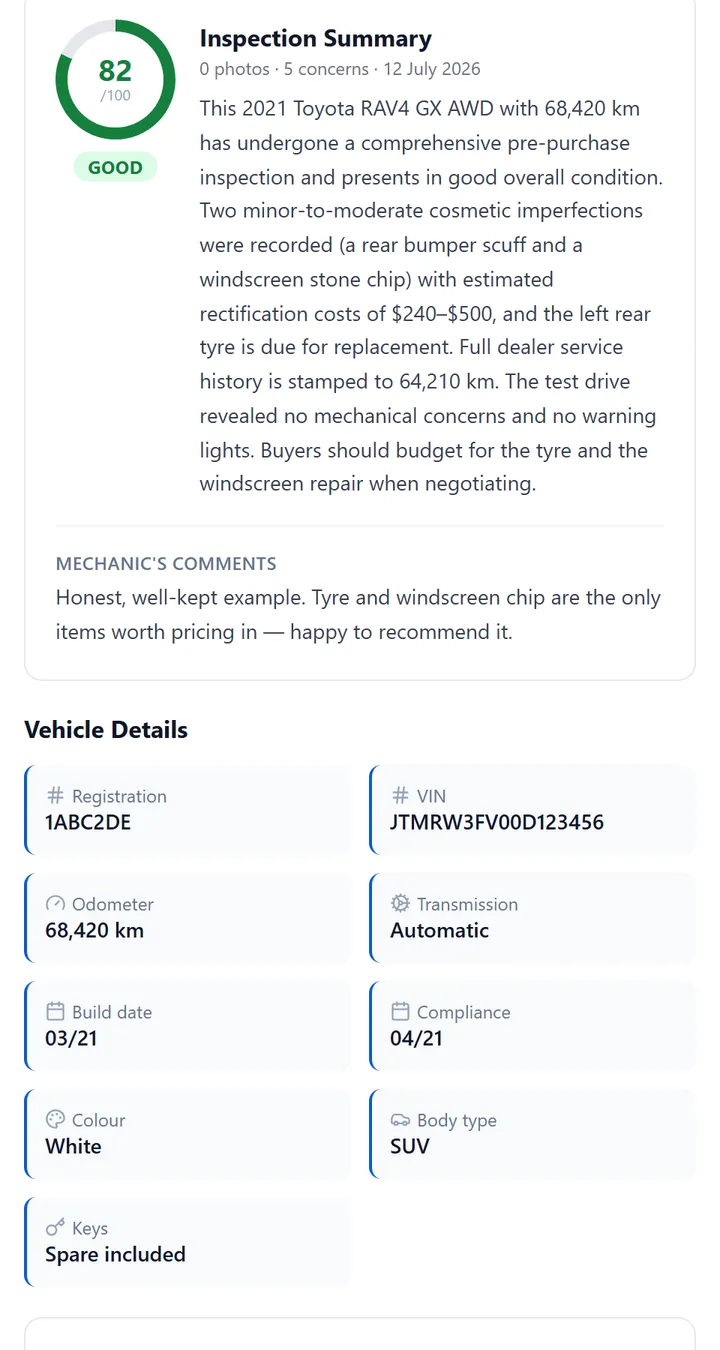
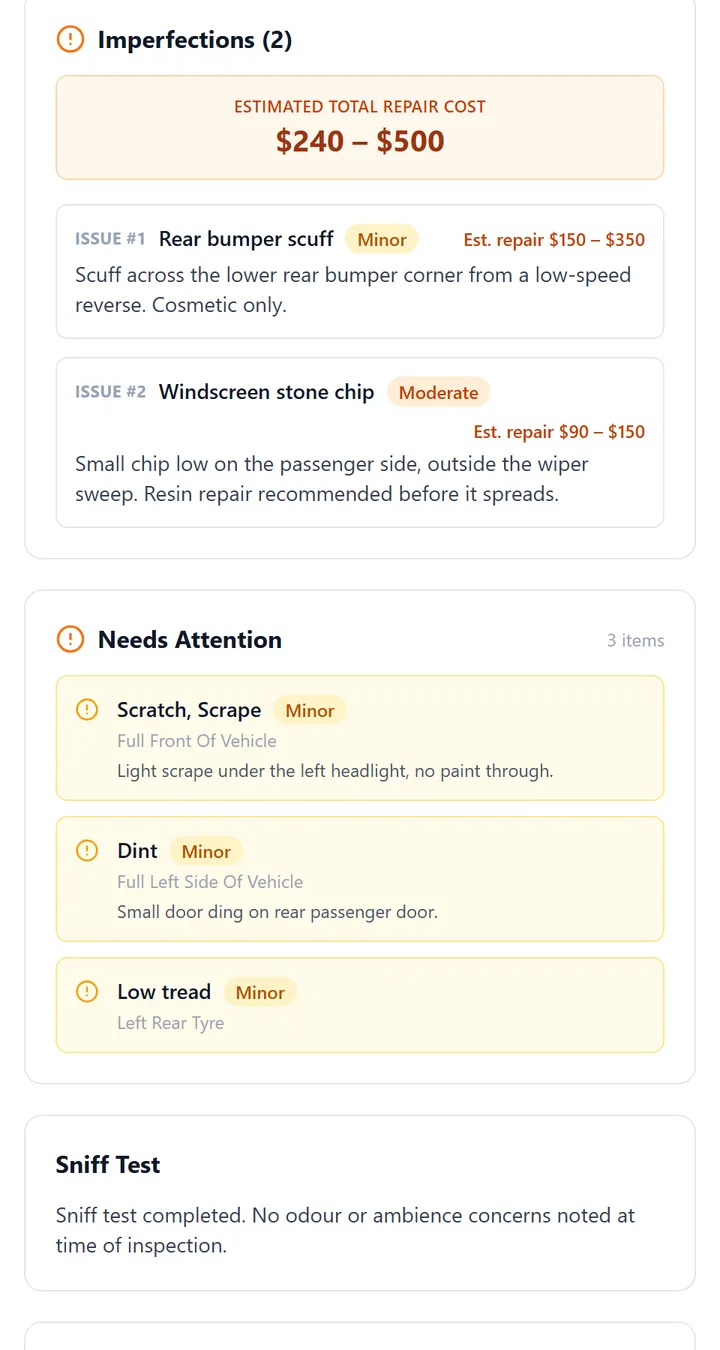
For a full photographic inspection, Deep Inspection adds a 34-step guided workflow and a richer report: an inspection summary, imperfections with estimated repair costs, a sniff test, tyres, spare and keys, service history, test drive notes, modifications and accessories, and an optional market valuation recorded by the inspector.
Open the samples
- Open the interactive sample report: the same page your customers see, using fictional data.
- Open the Deep Inspection sample report: the full photographic report.
- Try the mechanic’s side: the guided inspection workflow that produces a report like this.
Make your own
Create a free InspectaCar account and your first 10 reports look like this, with your own logo, colours and business details. See digital vehicle inspection software for what is included, or read about the mechanic inspection report template.
Frequently asked questions
Is this a real inspection?
No. The vehicle, inspector and findings are fictional, created to show the layout and level of detail of a report.
Can I customise the report with my own branding?
Yes. Reports use your logo, colours and business name on the web page and PDF, on every plan including the free plan.
How do customers receive the report?
You share a secure link to the online report, or download the PDF and send it. The PDF is optimised to stay small enough to attach.
Is the report a roadworthy certificate?
No. It is an inspection report. A roadworthy or safety certificate is a statutory document issued by an authorised tester under your state’s rules.